How to use Biohotspot
Two and a half minutes, from the world’s ocean data to a recommended plan and your own project, shown on the example project Exmouth Gulf. Watch the walkthrough, then try it yourself.
- 00 · Start
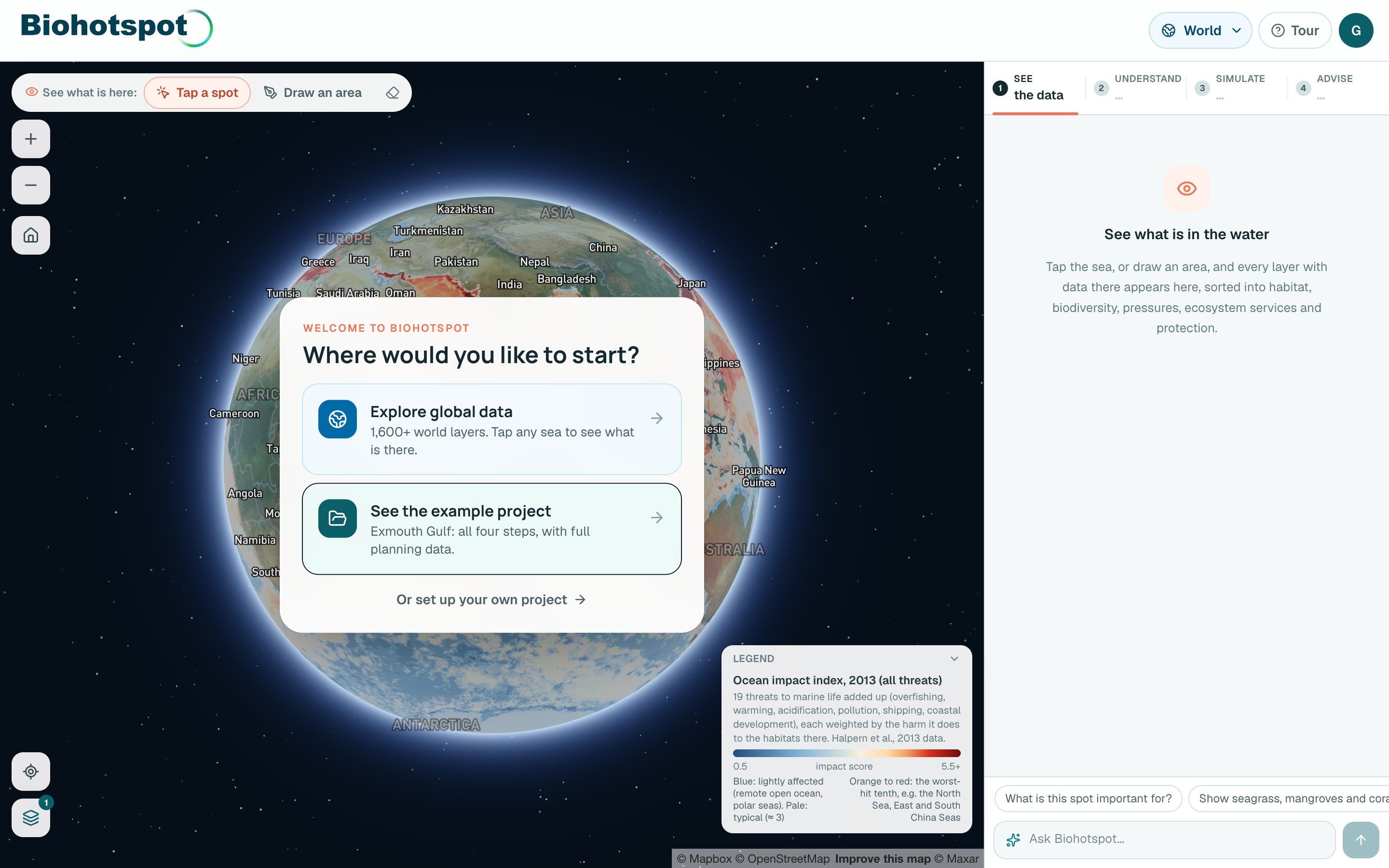
Open the map
- Biohotspot opens on the world's ocean, coloured by how hard people press on it.
- Choose where to start: explore the global data, open the example project, or set up your own project area.
You get: A sense of where the project area sits, and about 1,600 world maps to explore.
- 01 · See
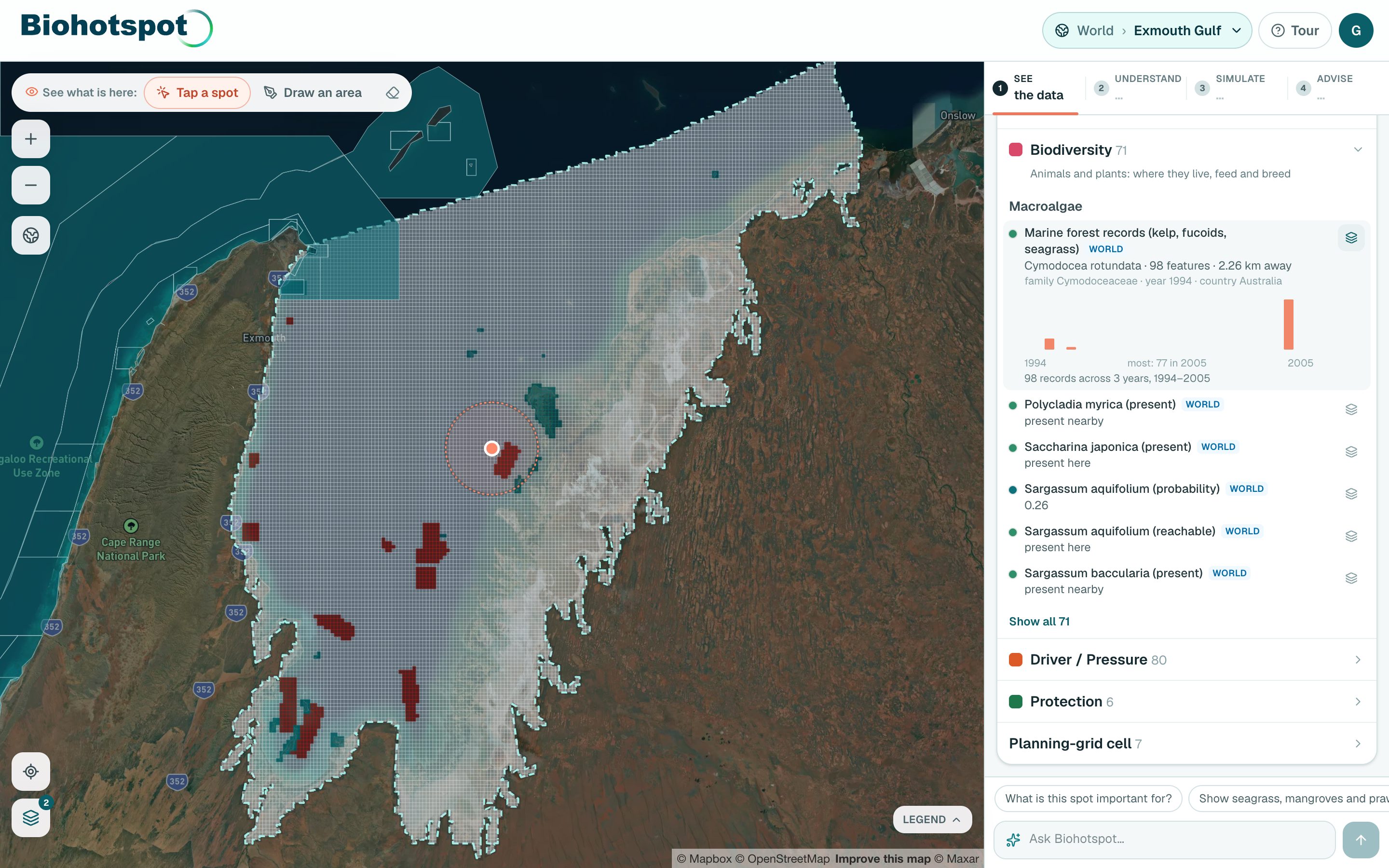
Tap the sea to see what is there
- Tap anywhere on the sea, or choose Draw an area at the top left to outline a shape.
- Open a category, and press the layer icon on any row to put it on the map.
You get: Every layer with data at that spot, in five categories: Habitat, Biodiversity, Driver / Pressure, Ecosystem service and Protection.
- 02 · Understand
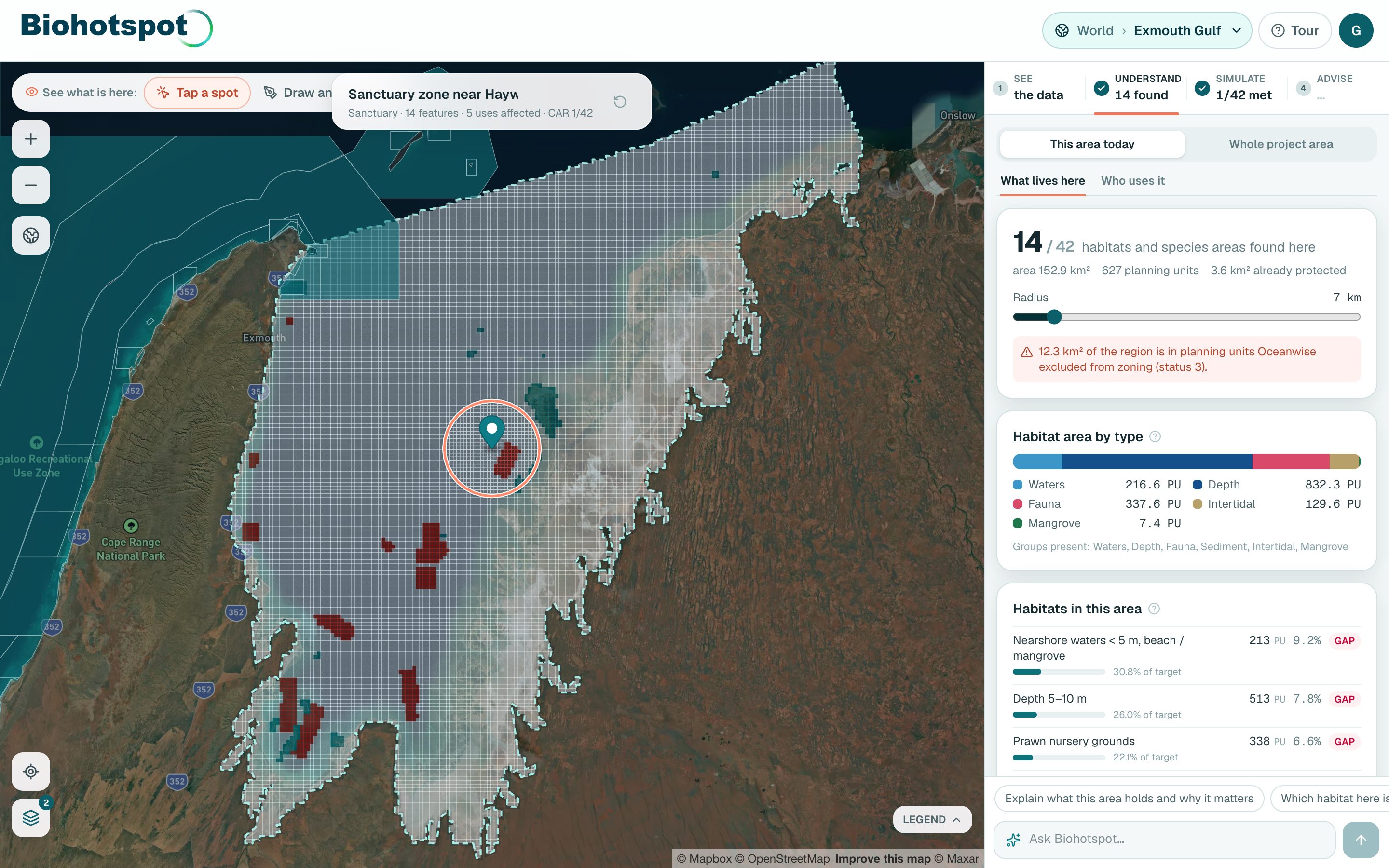
Make it a zone and assess it
- Press Plan this area on the card. Nothing is calculated until you do.
- Change the radius with the slider if you need a bigger or smaller zone.
You get: What lives in the zone, who uses it, what is already protected, and how far each habitat is from its protection target.
- 03 · Simulate
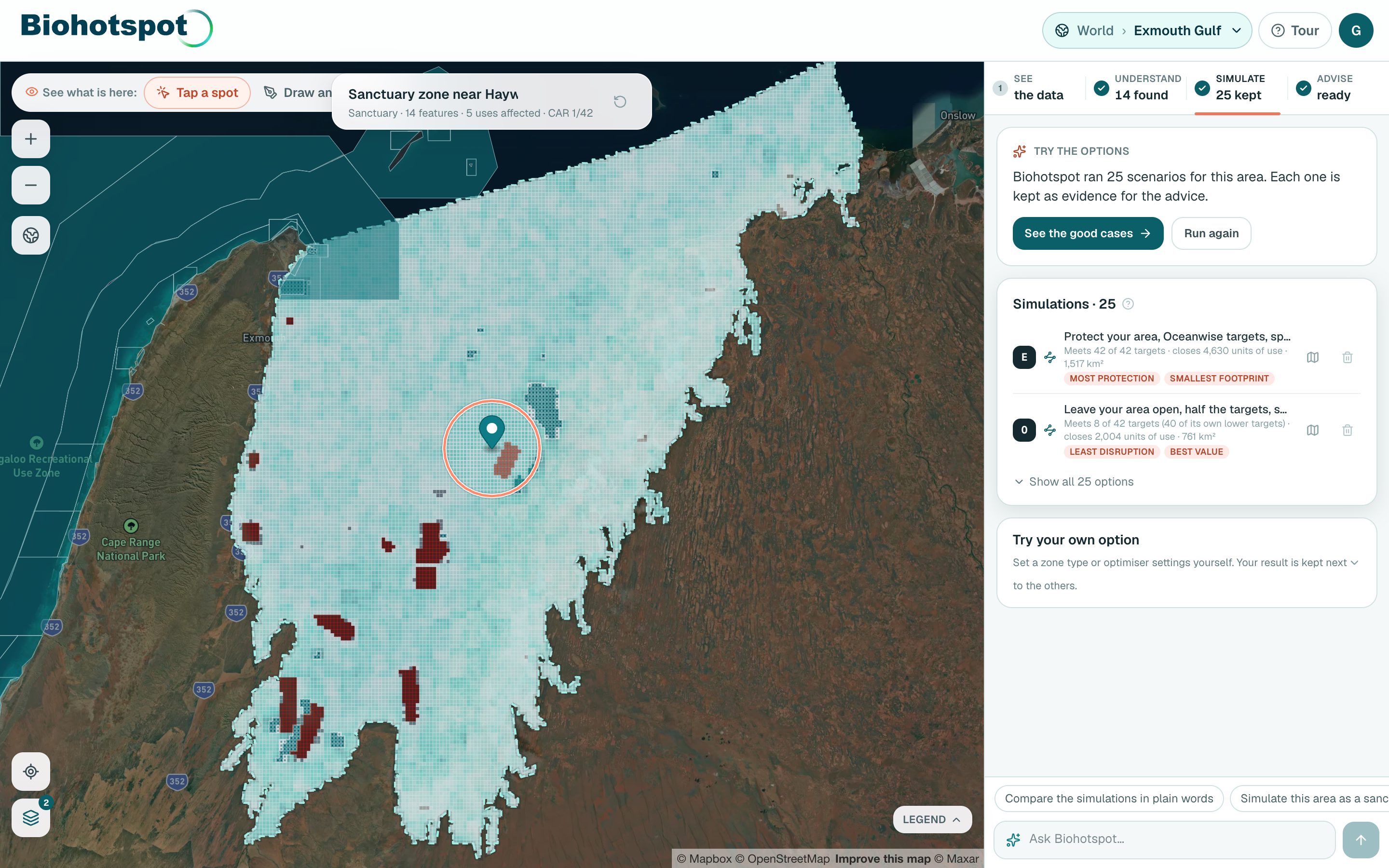
Let Biohotspot try the options
- Open Simulate and press Run the options. Biohotspot tries about 20 options in about a minute: protect the zone, leave it open, or let it design the zones, at different targets.
- Try your own option underneath if you want a particular zone type or setting.
You get: Every option kept as evidence, drawn on the map and scored.
- 04 · Advise
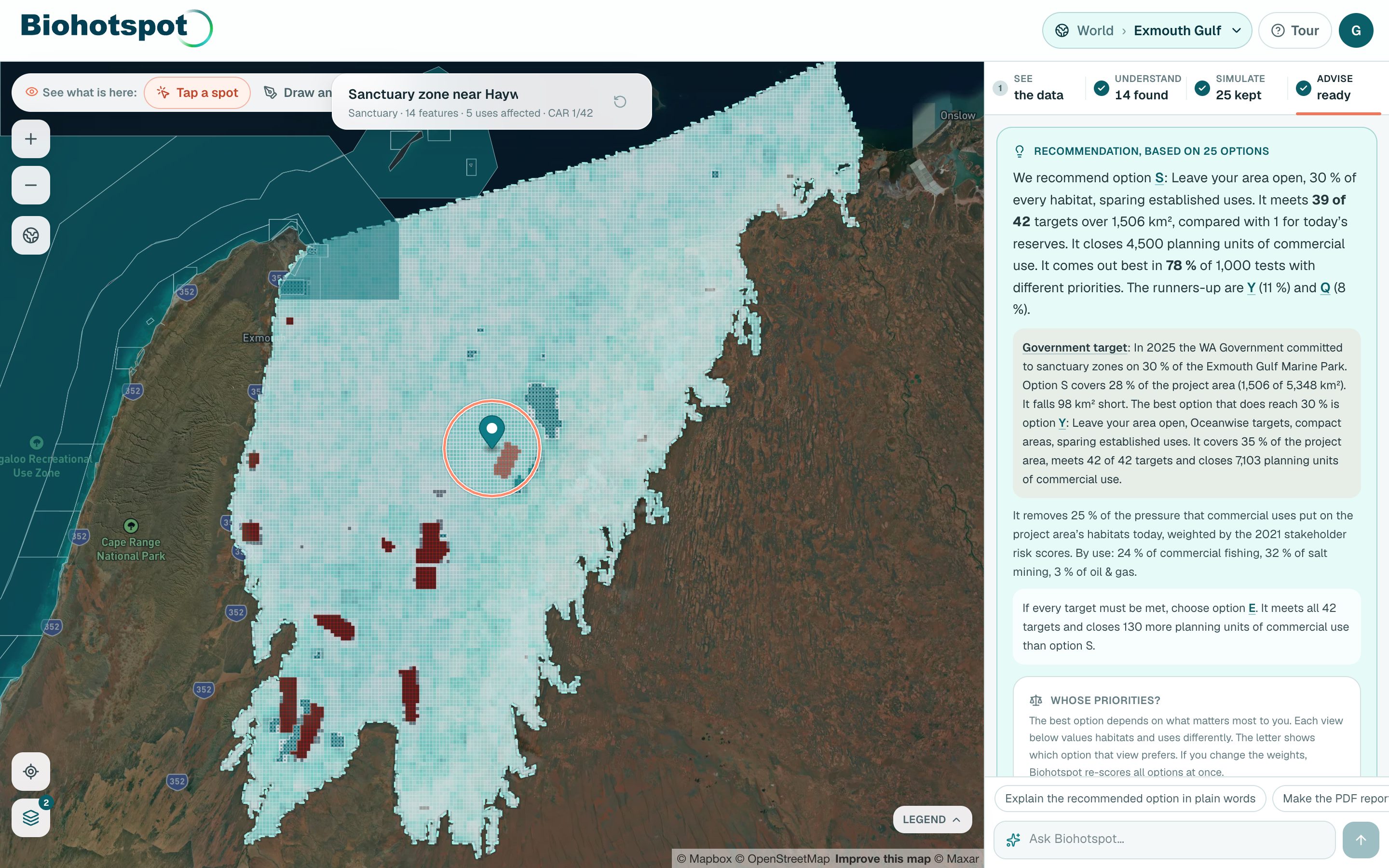
Get the recommendation and the report
- Open Advise when it shows ready.
- Save the scenario, copy a share link, email it, or export the PDF report.
You get: The recommended option, why it beats the others, what is still missing, and the targets that apply to the area.
- 05 · Your project
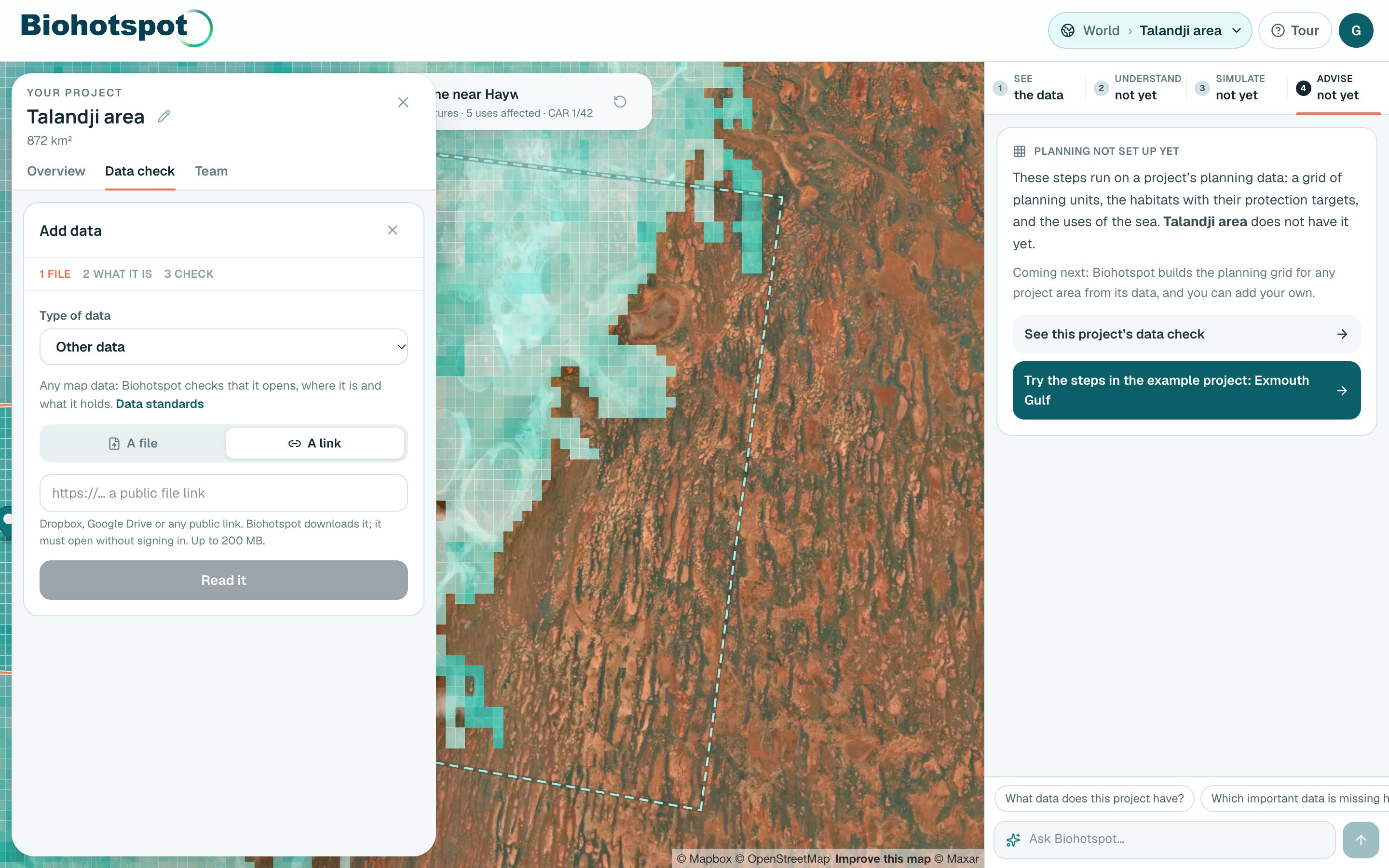
Set up your own project area
- Open the project menu at the top and choose New project area. Draw it, name it, and press Set as project area.
- Open Project details for its data health, the gaps and your team. Under Data check, add your own data as a file or a link.
You get: A check of which data exists in your area and which is missing, your own data on the map, and a team to share it with.
- ✦ · Any time
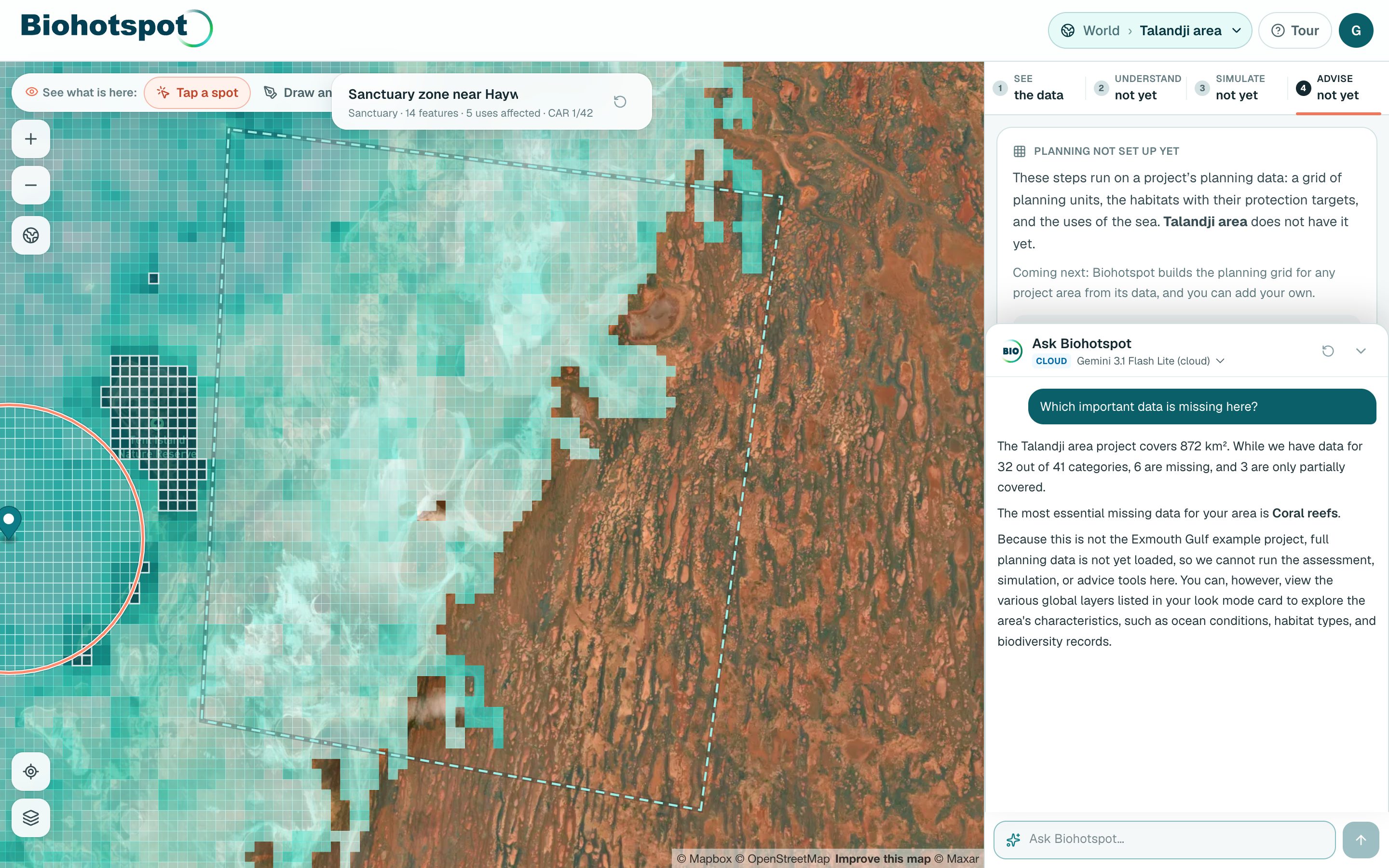
Ask Biohotspot
- Type in the box under every step, in your own words, or press a suggestion.
- Try: Show seagrass and mangroves together · Which important data is missing here? · Explain the recommended option · Make the PDF report.
You get: Answers drawn from the results on screen; Biohotspot can also turn on layers, pick an area and run the simulations for you.
Ready to try it?
Enter your email to open the map. No password is needed while Biohotspot is in beta. On a phone, Biohotspot shows you the first steps as you go.